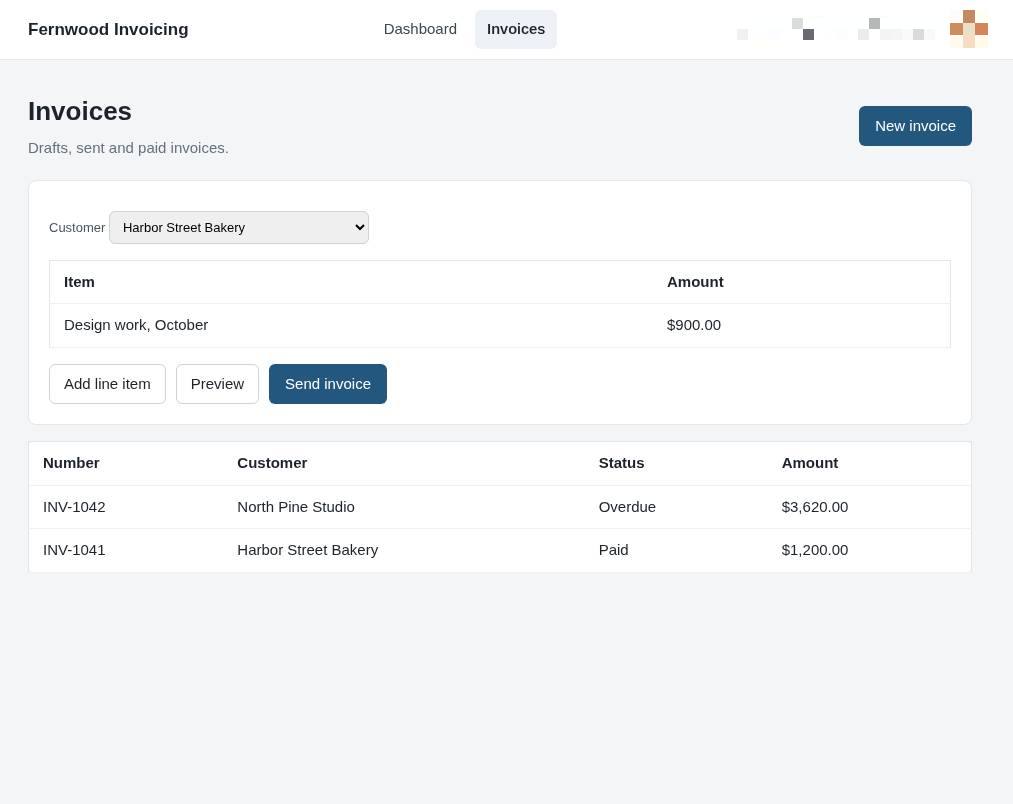
Send an invoice from the side panel
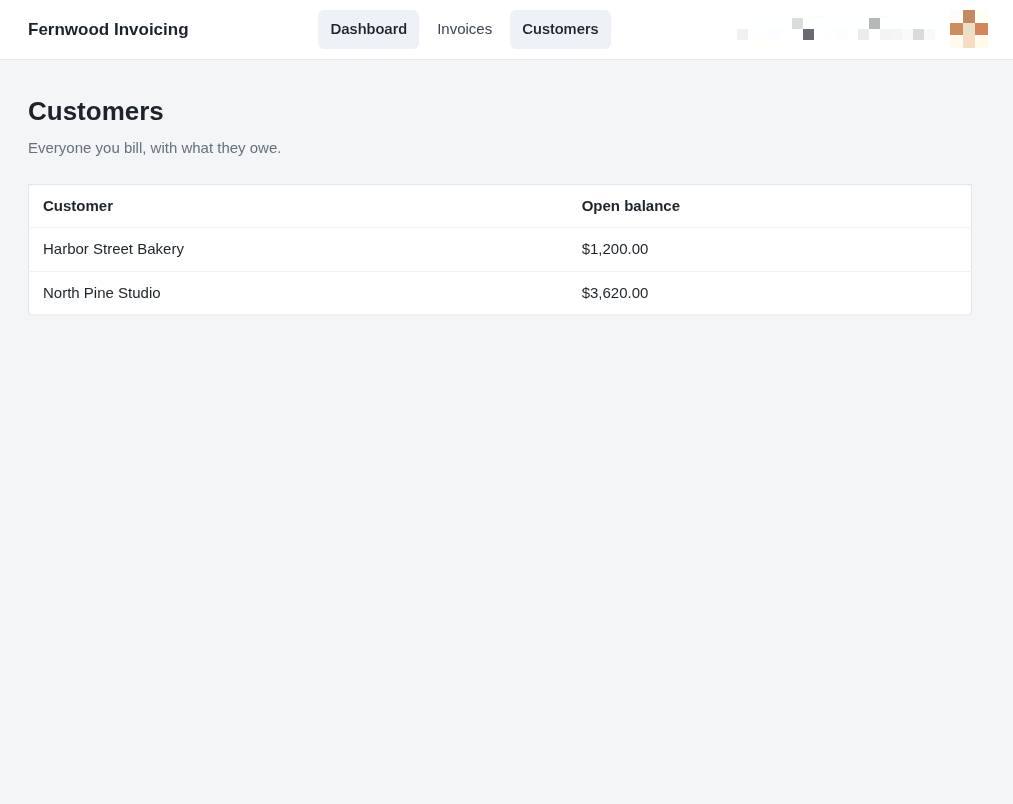
1.View your customers
Select Customers from the navigation bar to see a list of every person or business you bill.
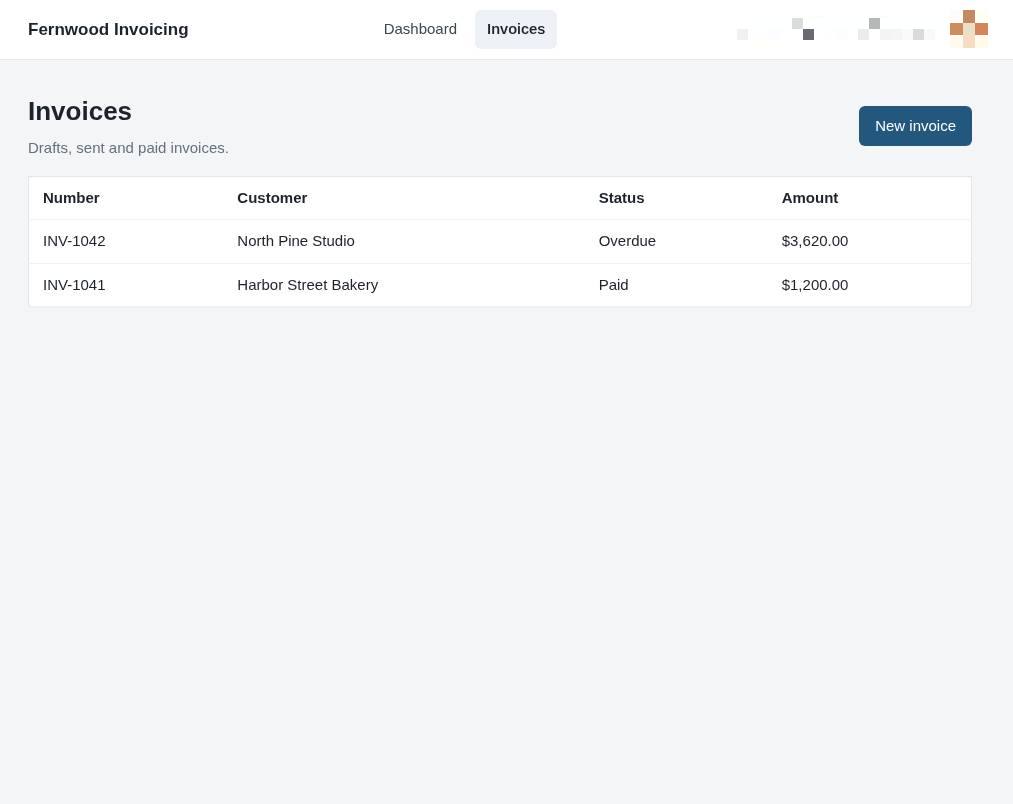
2.Open your invoices
Select Invoices from the top navigation bar to view all your existing bills. You will see a list of your draft, sent, and paid invoices.
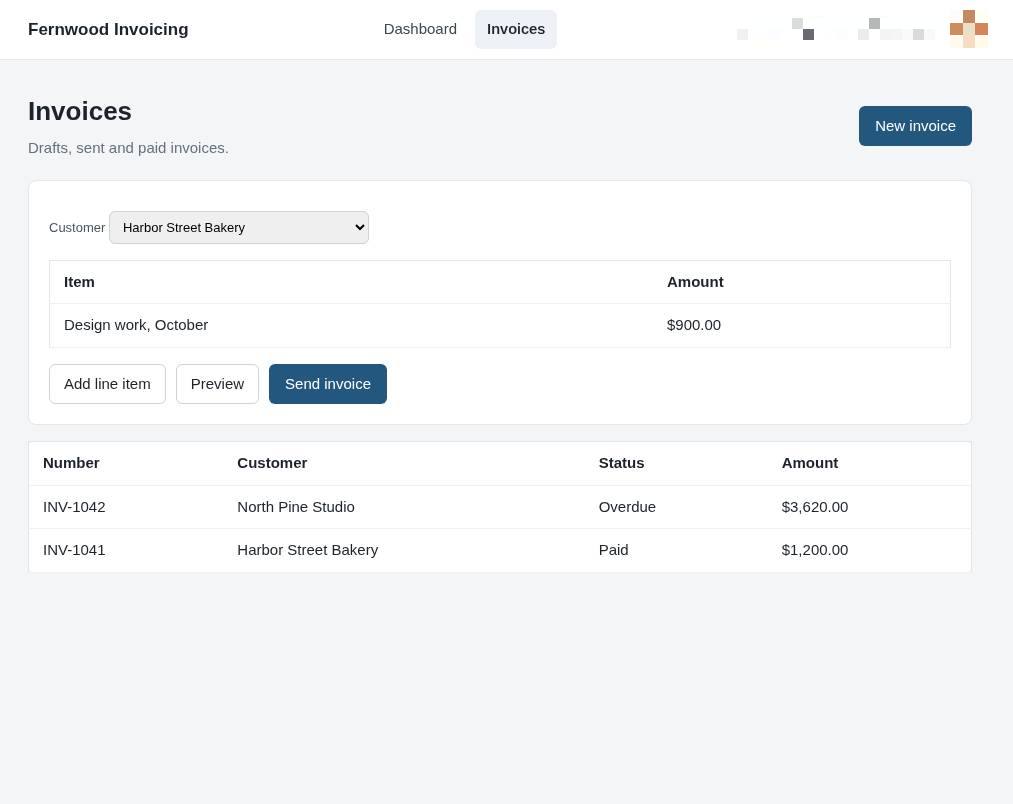
3.Create new invoice
Select New invoice to open the creation form where you can enter the customer details and items.
4.Send the invoice
Select Send invoice to deliver your bill to the customer.