Send your first invoice
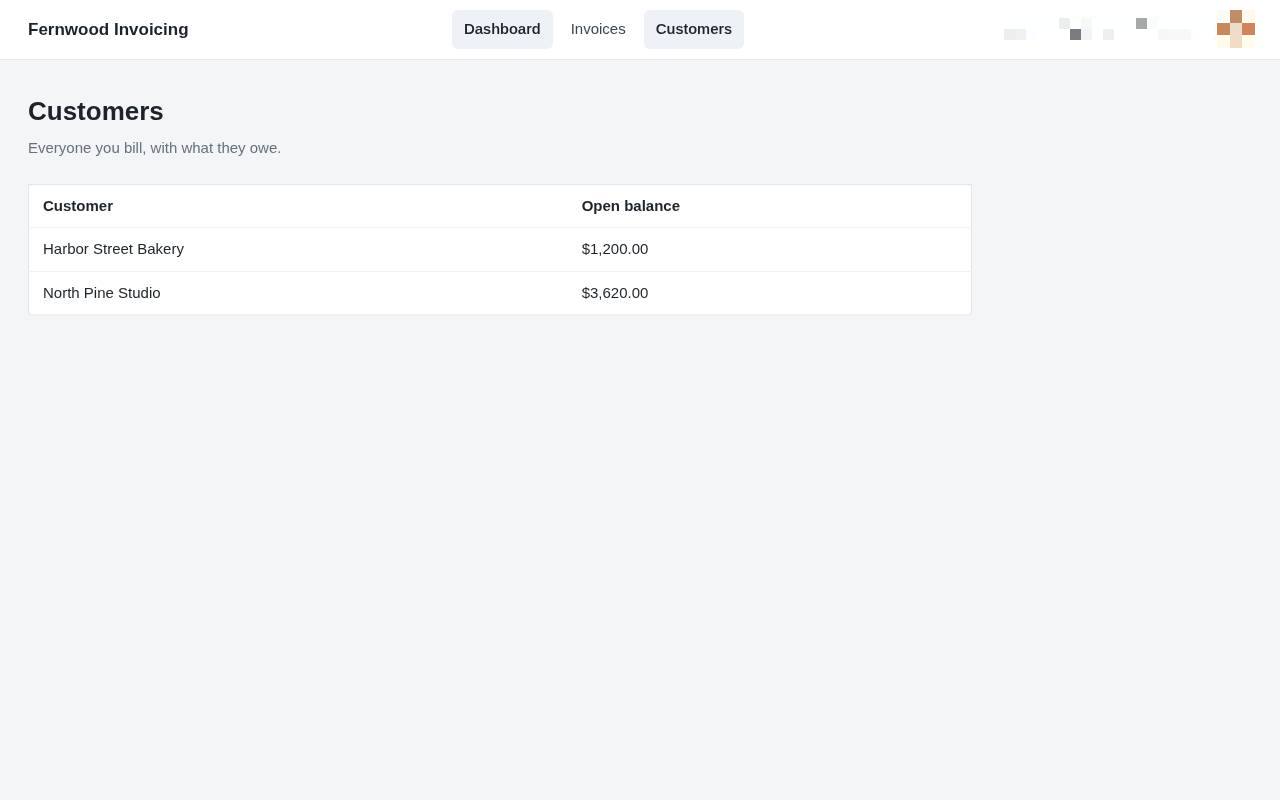
1.View your customers
Select Customers to see a list of everyone you bill and their current outstanding balance.
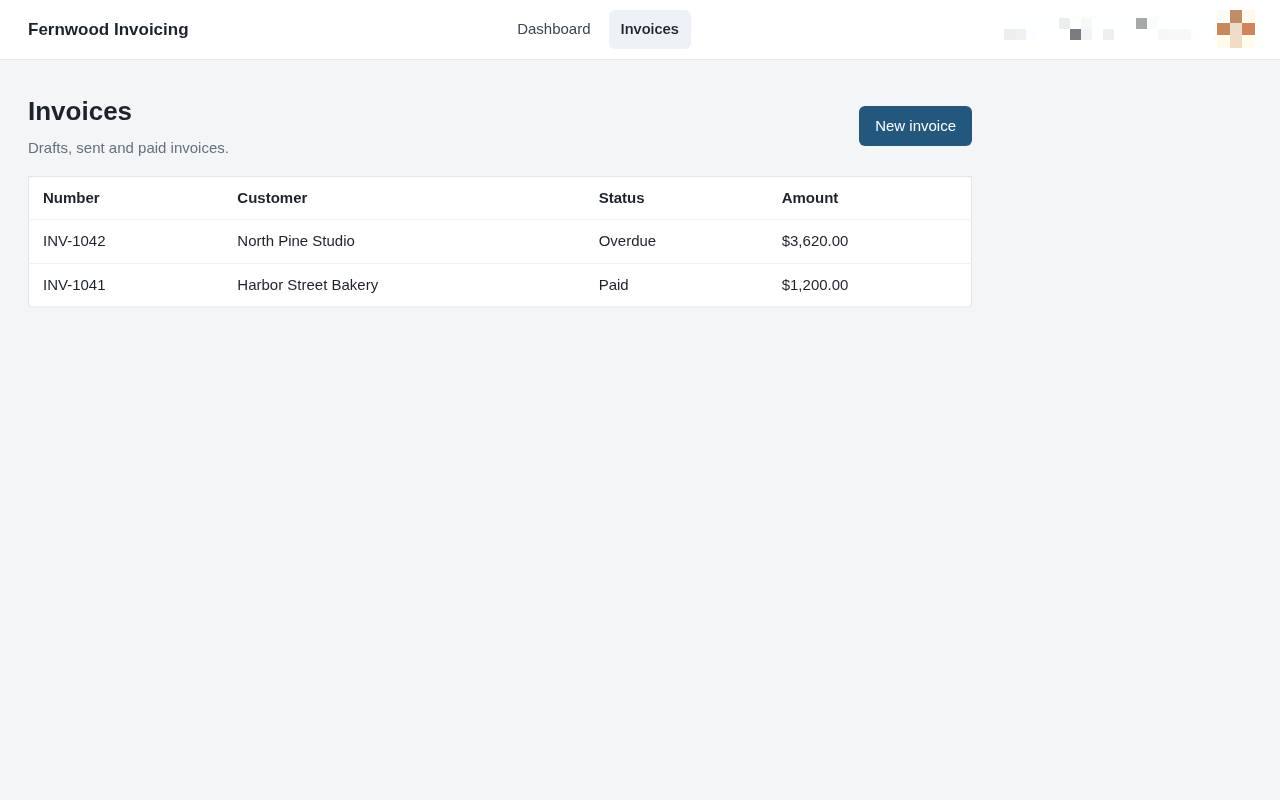
2.View your invoices
Select Invoices to see a list of your draft, sent, and paid invoices. You will see a table containing your existing invoice records.
3.Create a new invoice
Click New invoice to start a blank form for your next bill.
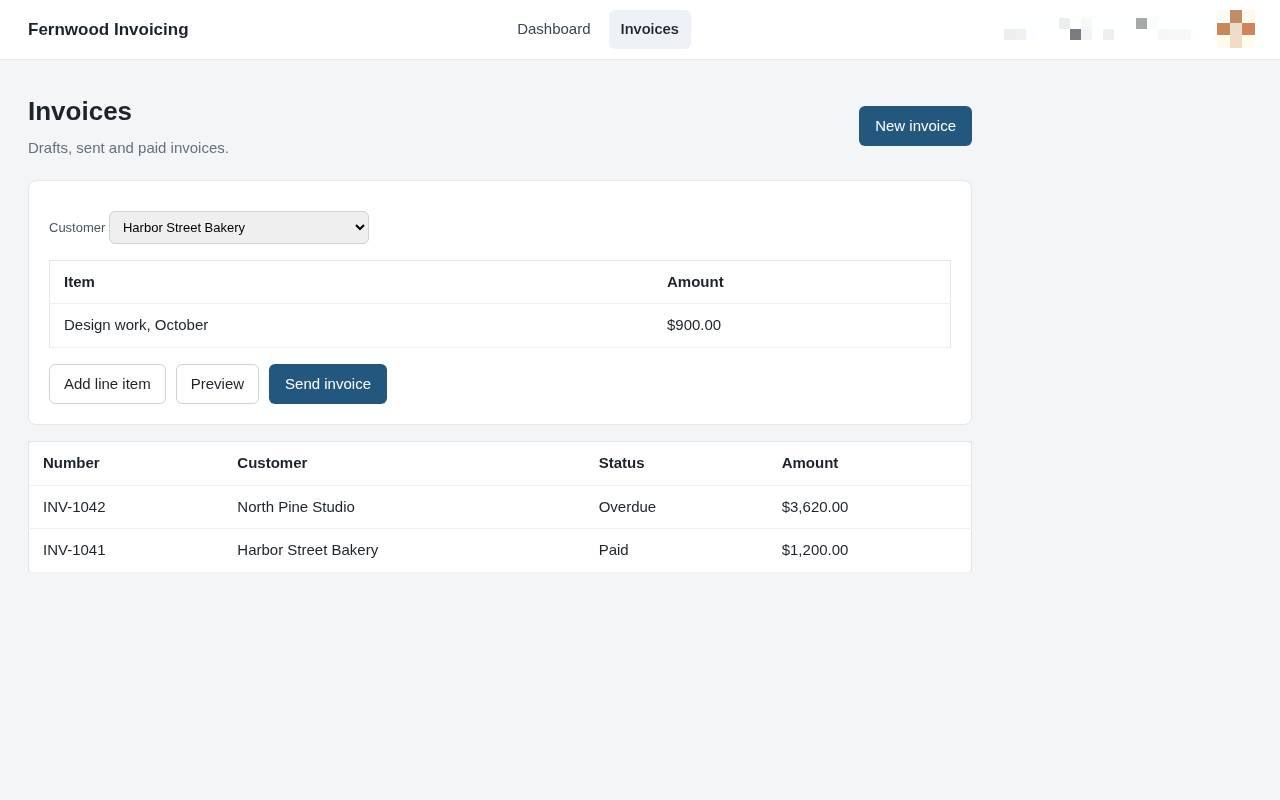
4.Add a line item
Select Add line item to create a new row for your invoice. You can then enter the description and amount for each product or service.
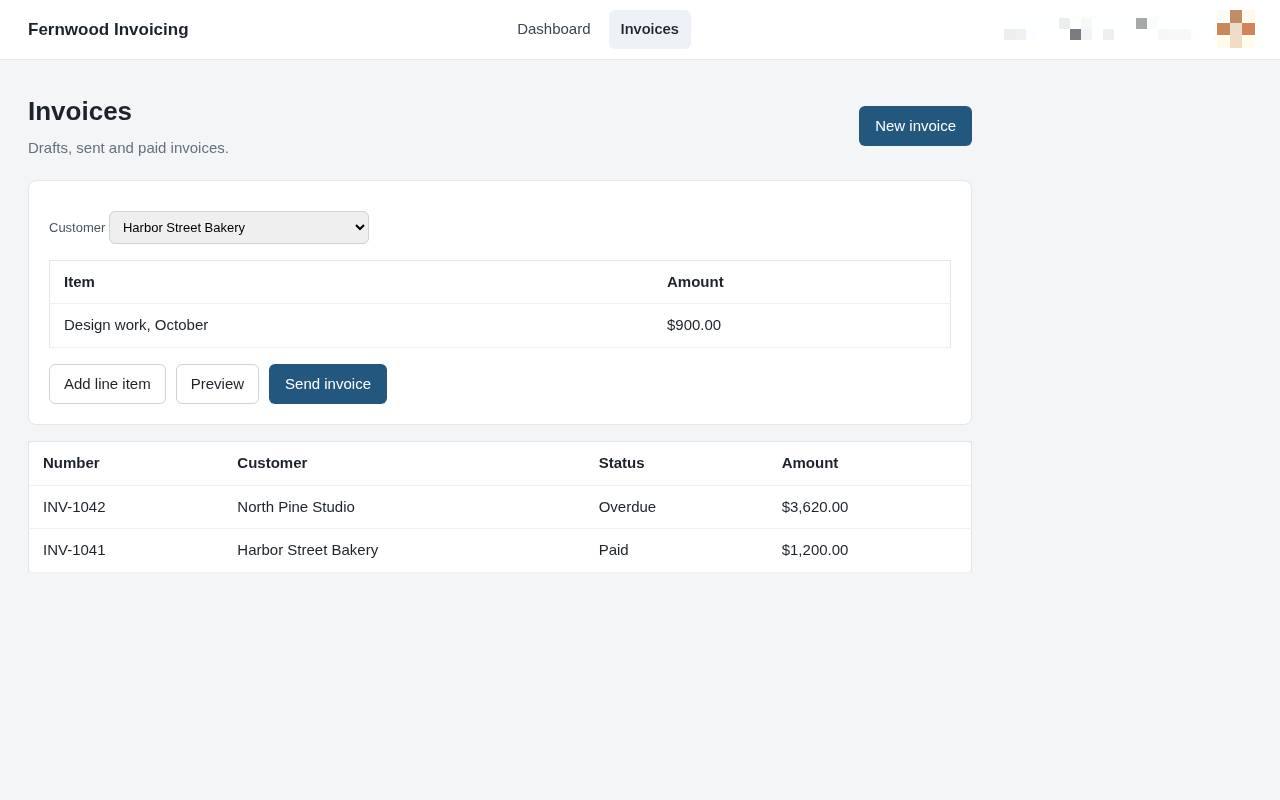
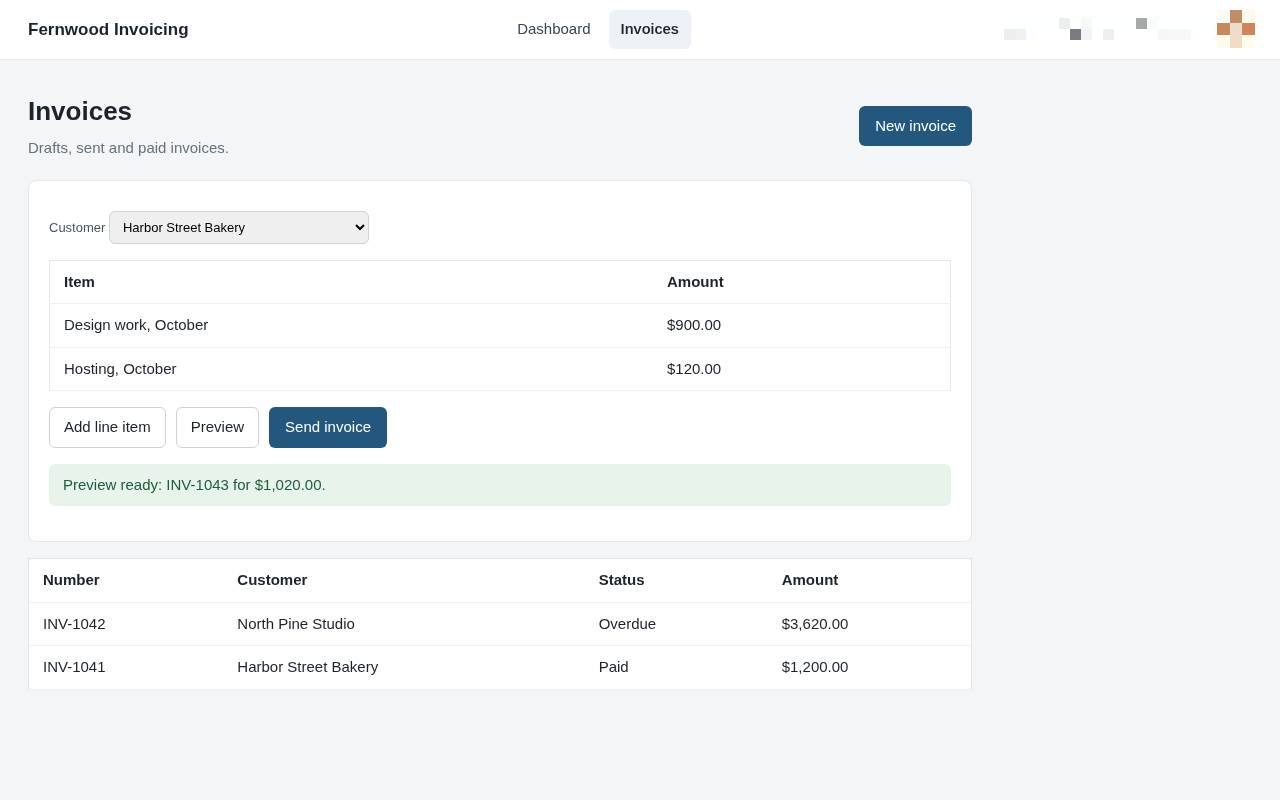
5.Preview your invoice
Select Preview to view your completed invoice as it will appear to the client.
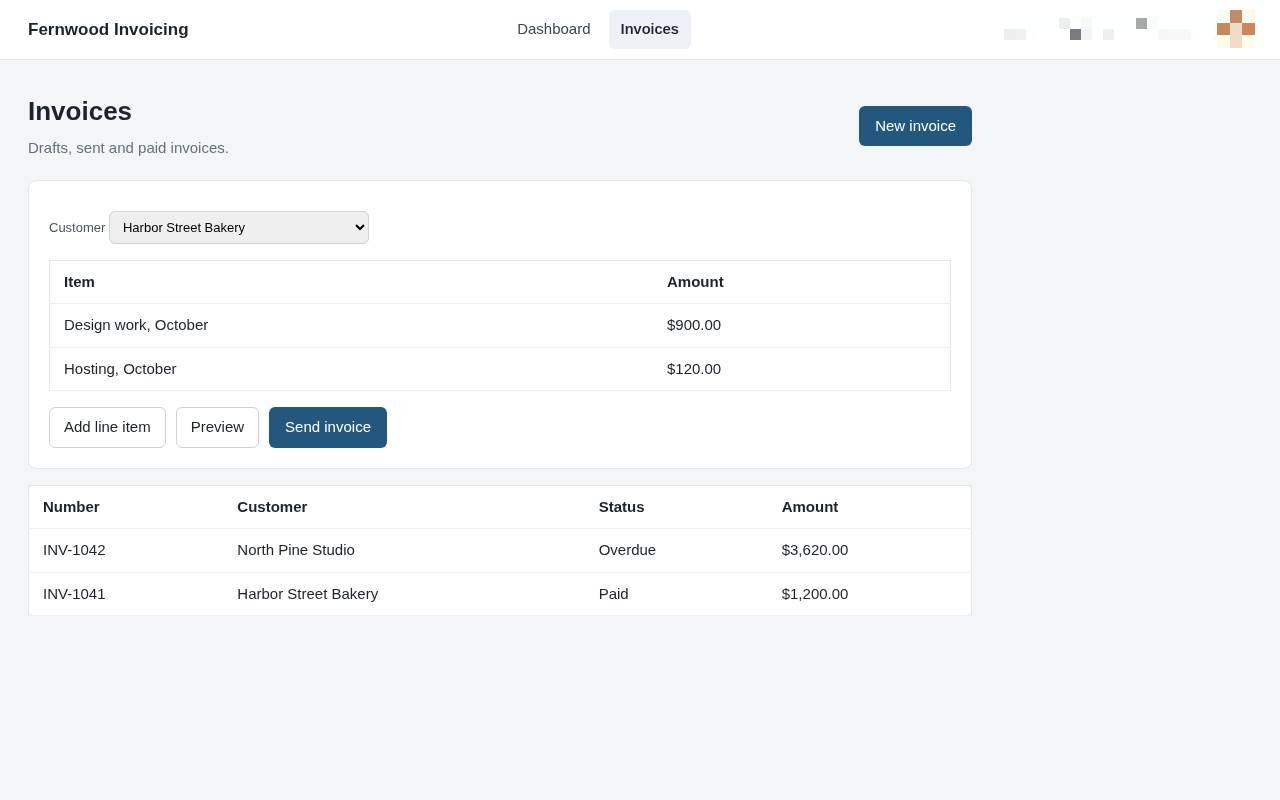
6.Send the invoice
Choose Send invoice. A message confirms the invoice was sent to your customer.