Send your first invoice
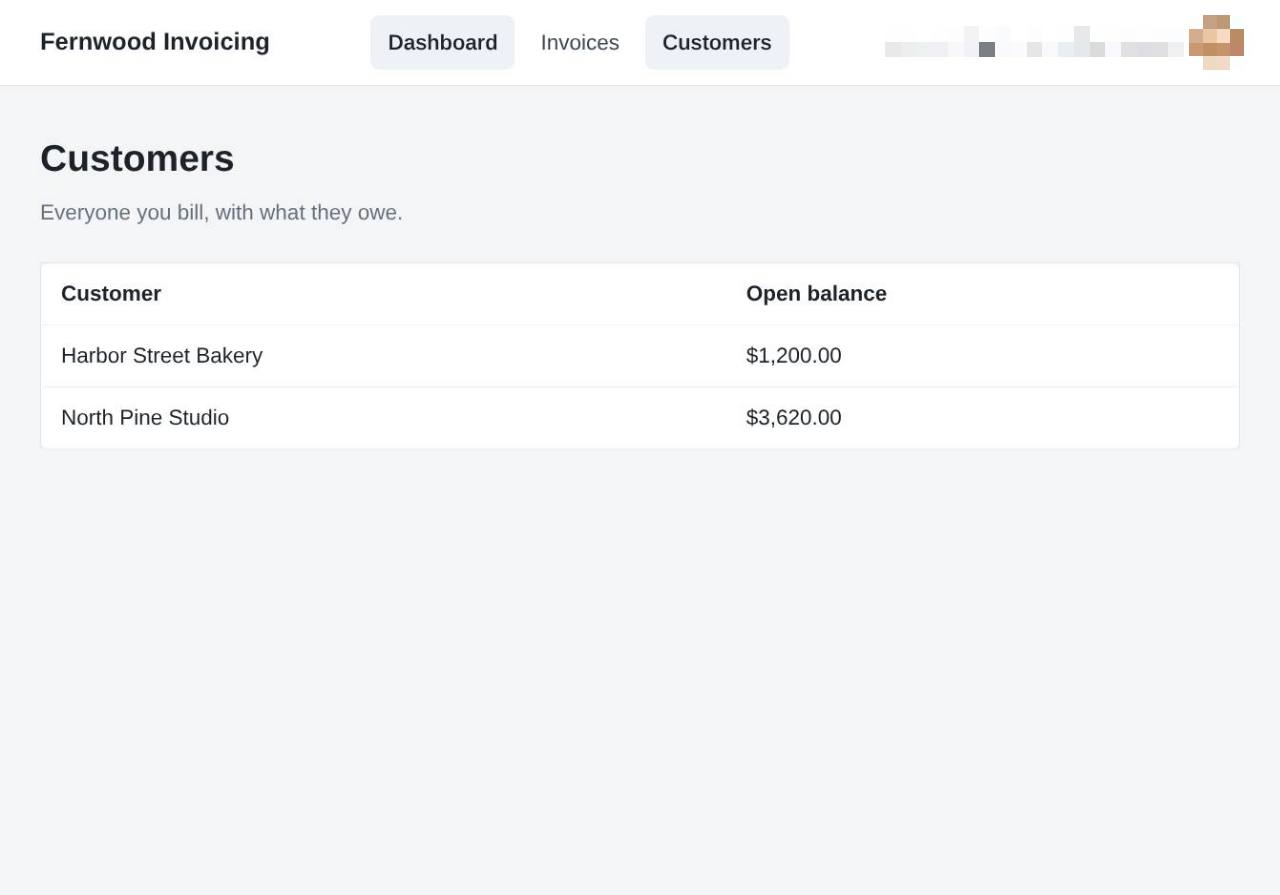
1.View your customers
Select Customers from the navigation menu to see your list of clients and their current account balances.
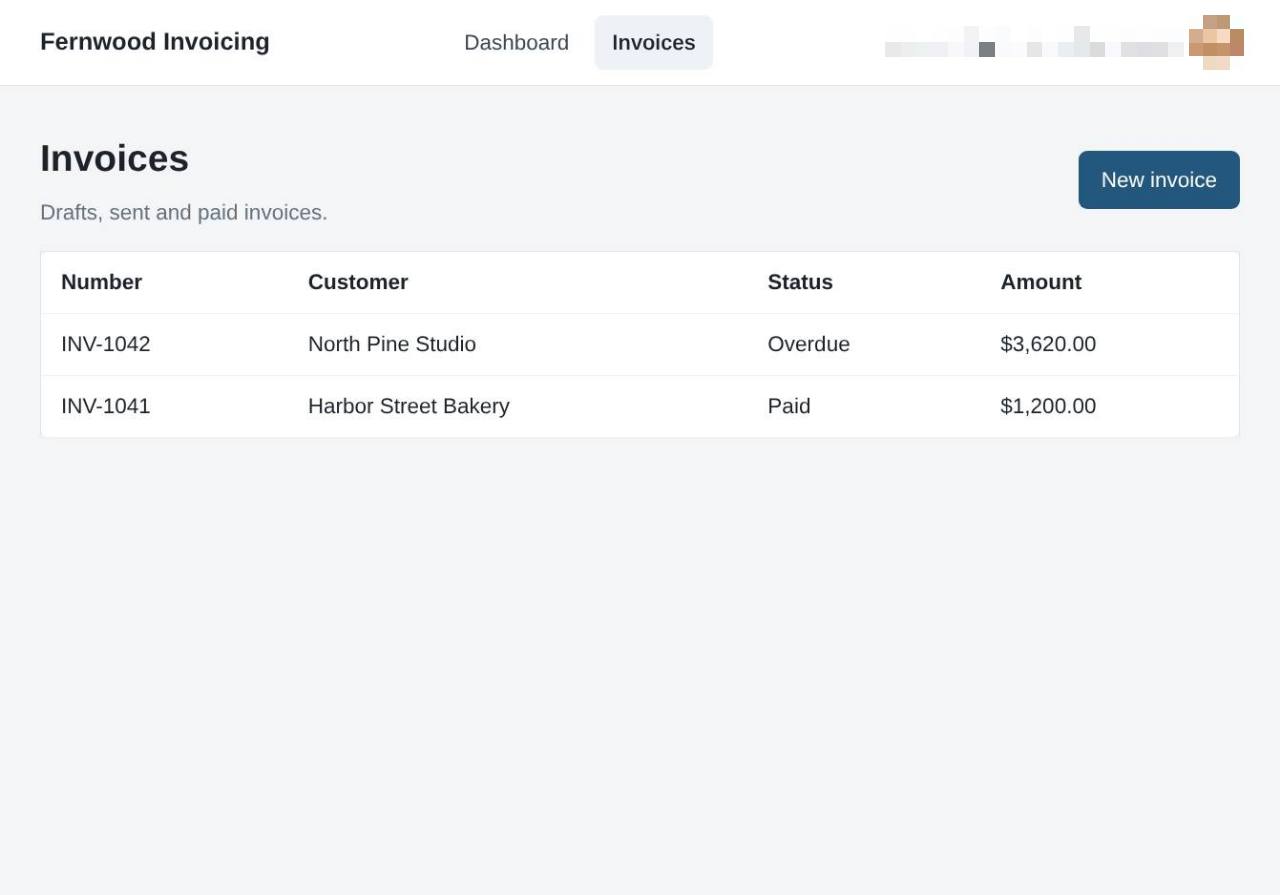
2.Open your invoice list
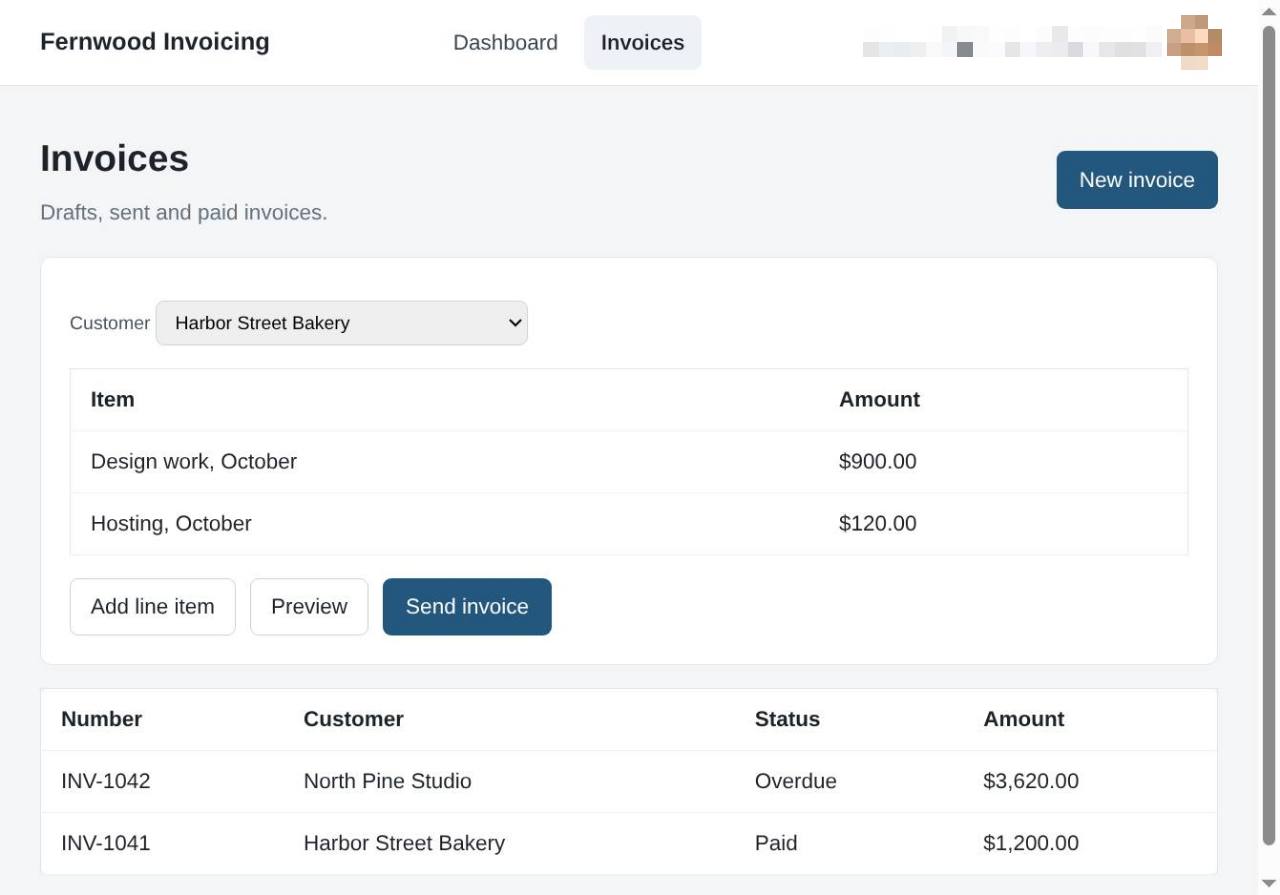
Select Invoices to view all your drafts, sent, and paid invoices.
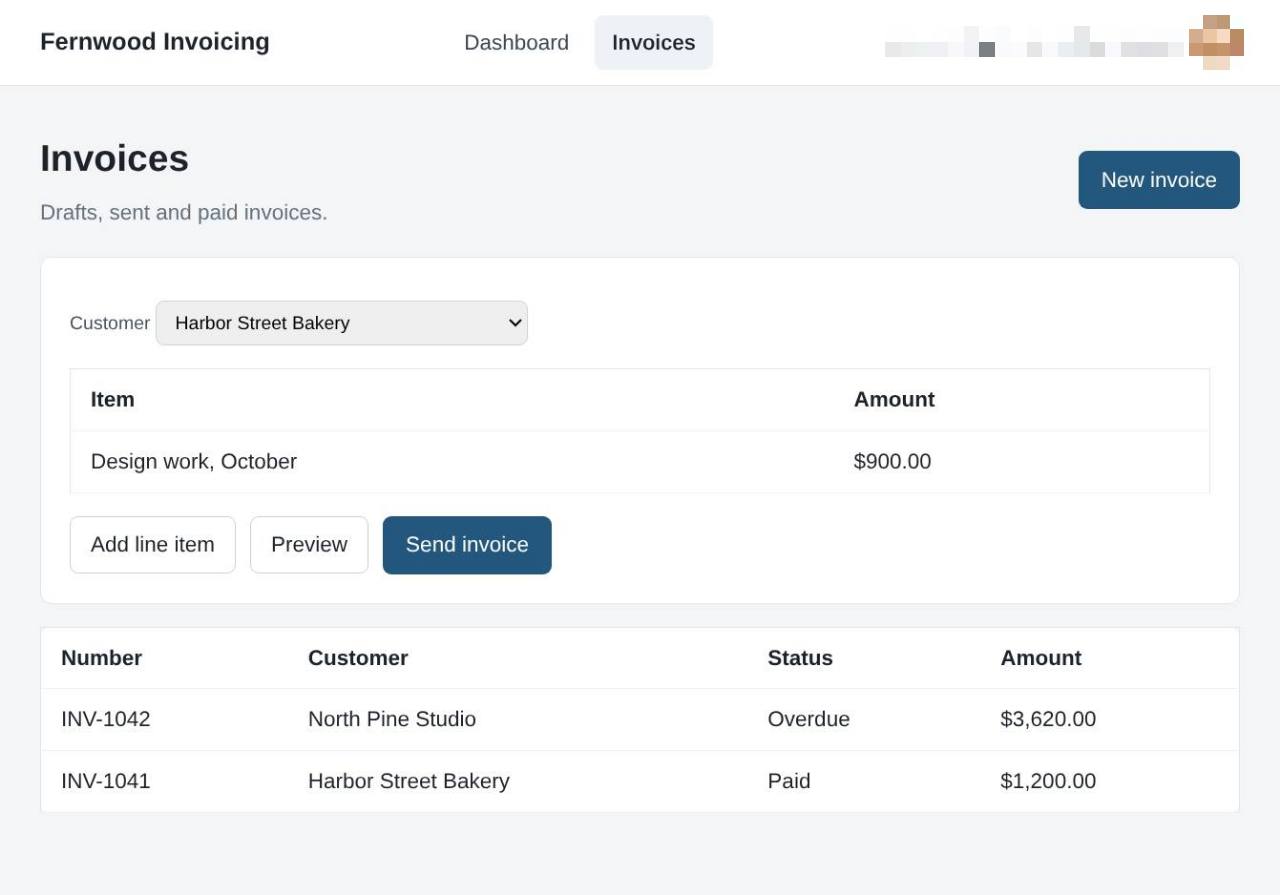
3.Create a new invoice
Select New invoice to start drafting a bill for your customer.
4.Add a line item
Select Add line item to add another line to the invoice.
5.Preview the invoice
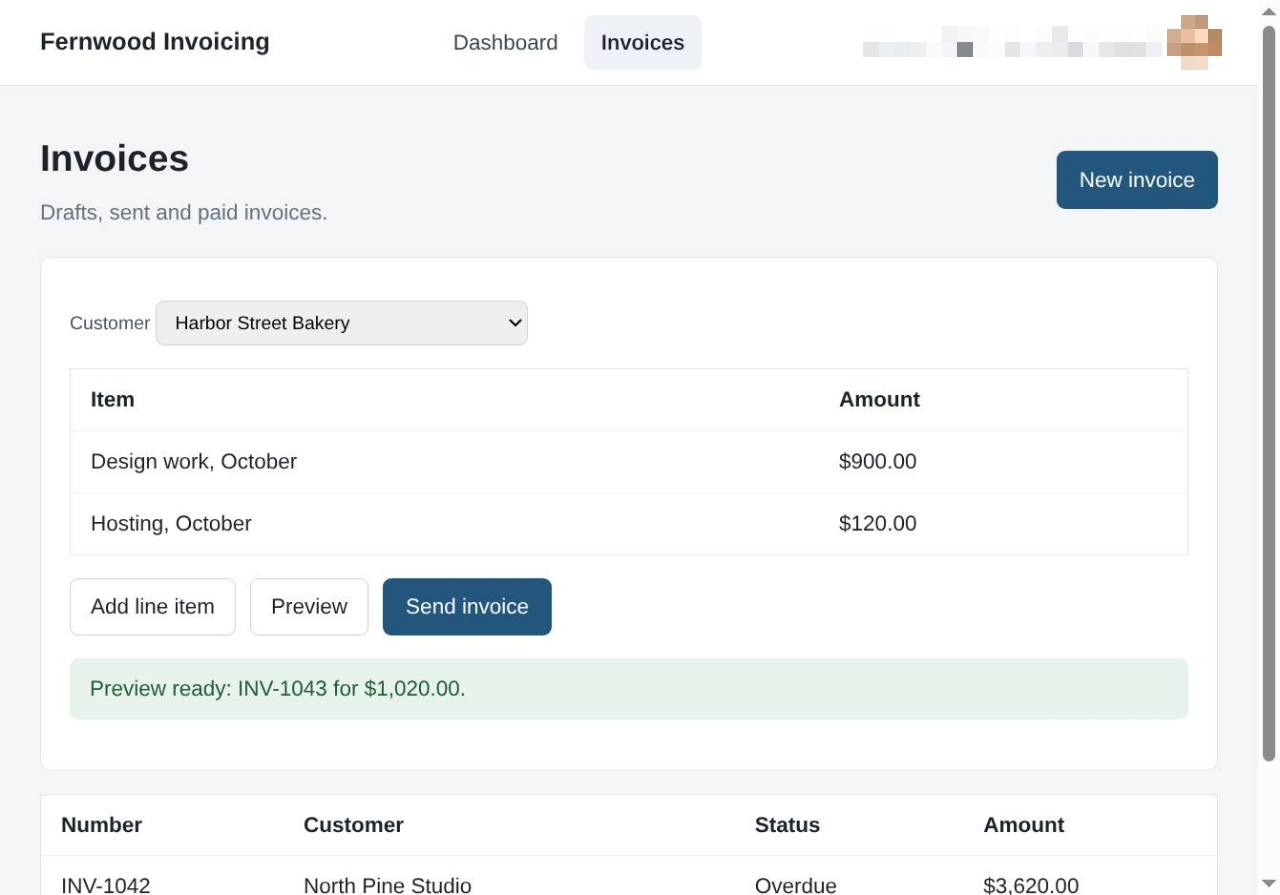
Click Preview to review your invoice layout. You see a confirmation message indicating the preview is ready for your records.
6.Send the invoice
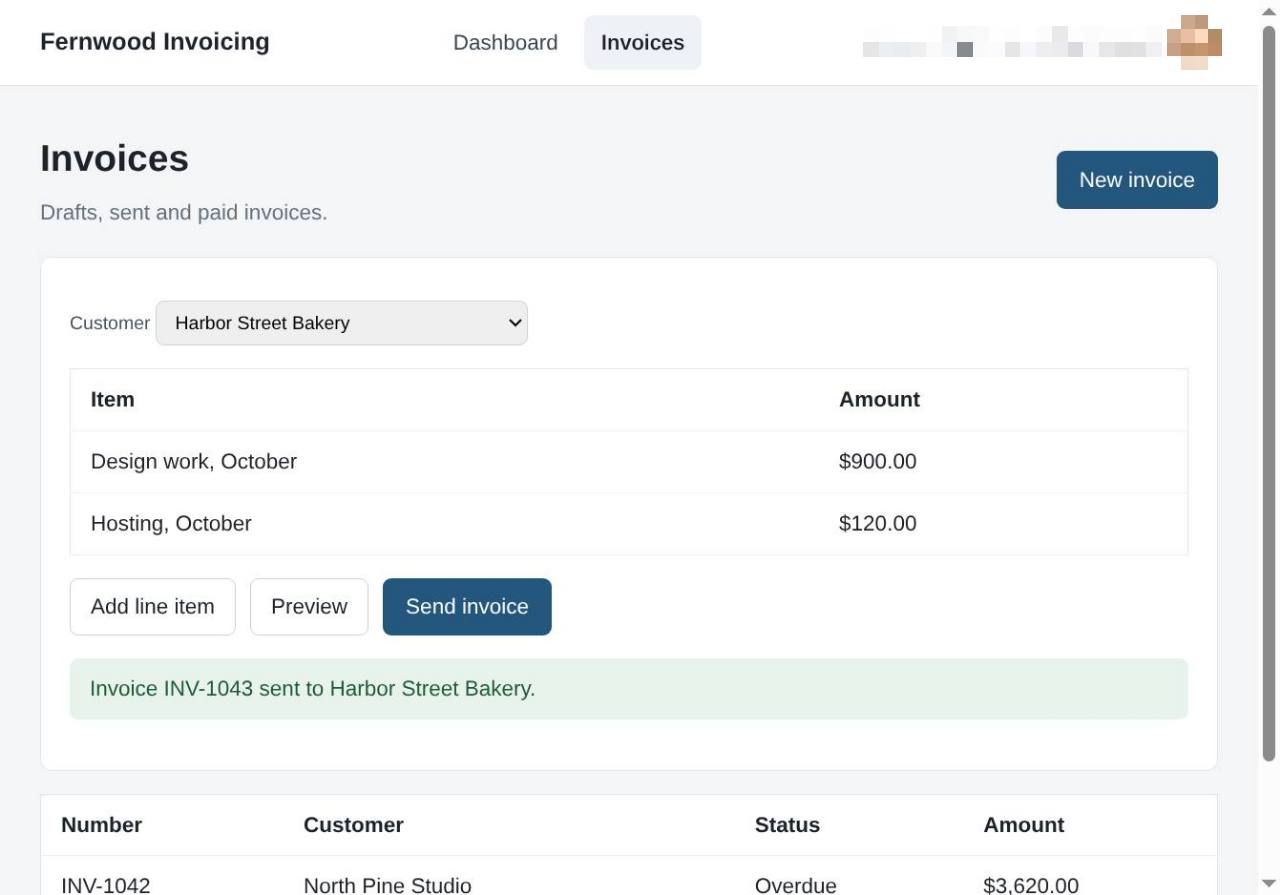
Select Send invoice. A message confirms the invoice was sent to your customer.