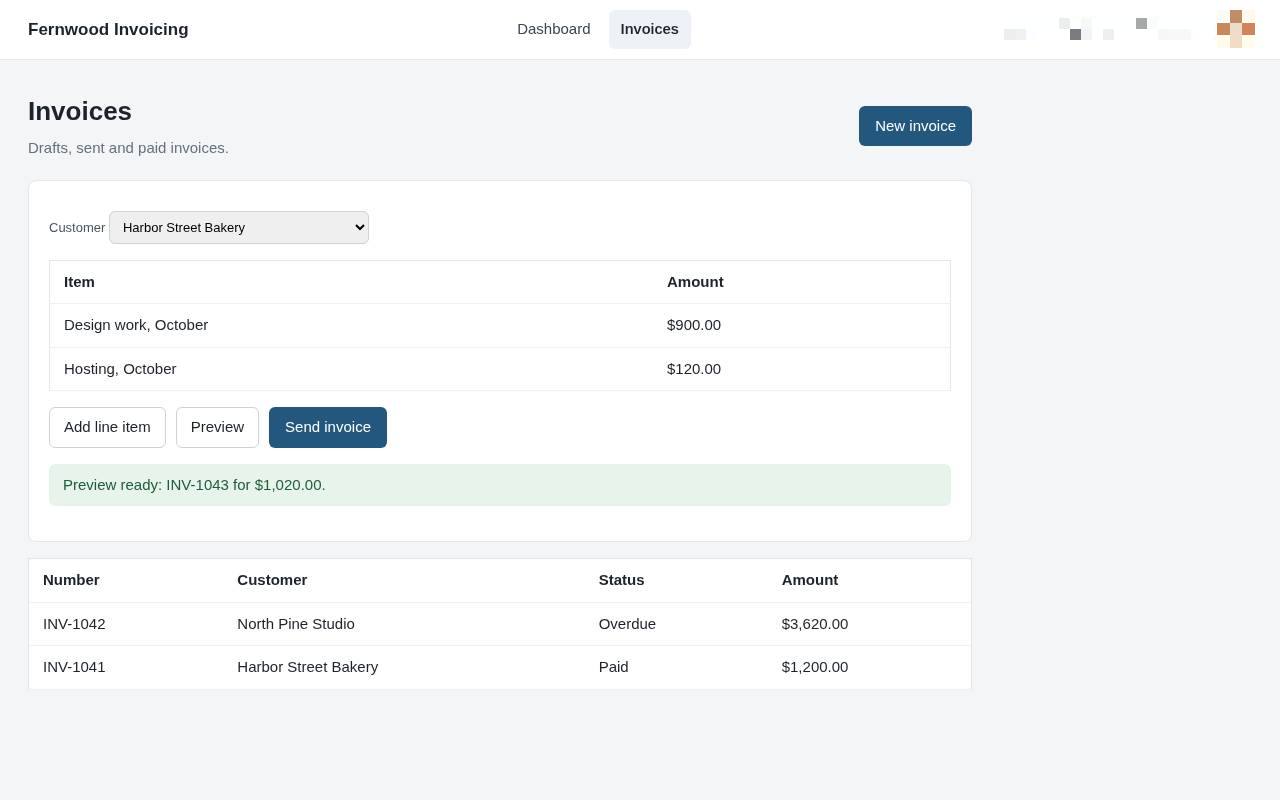
Send your first invoice
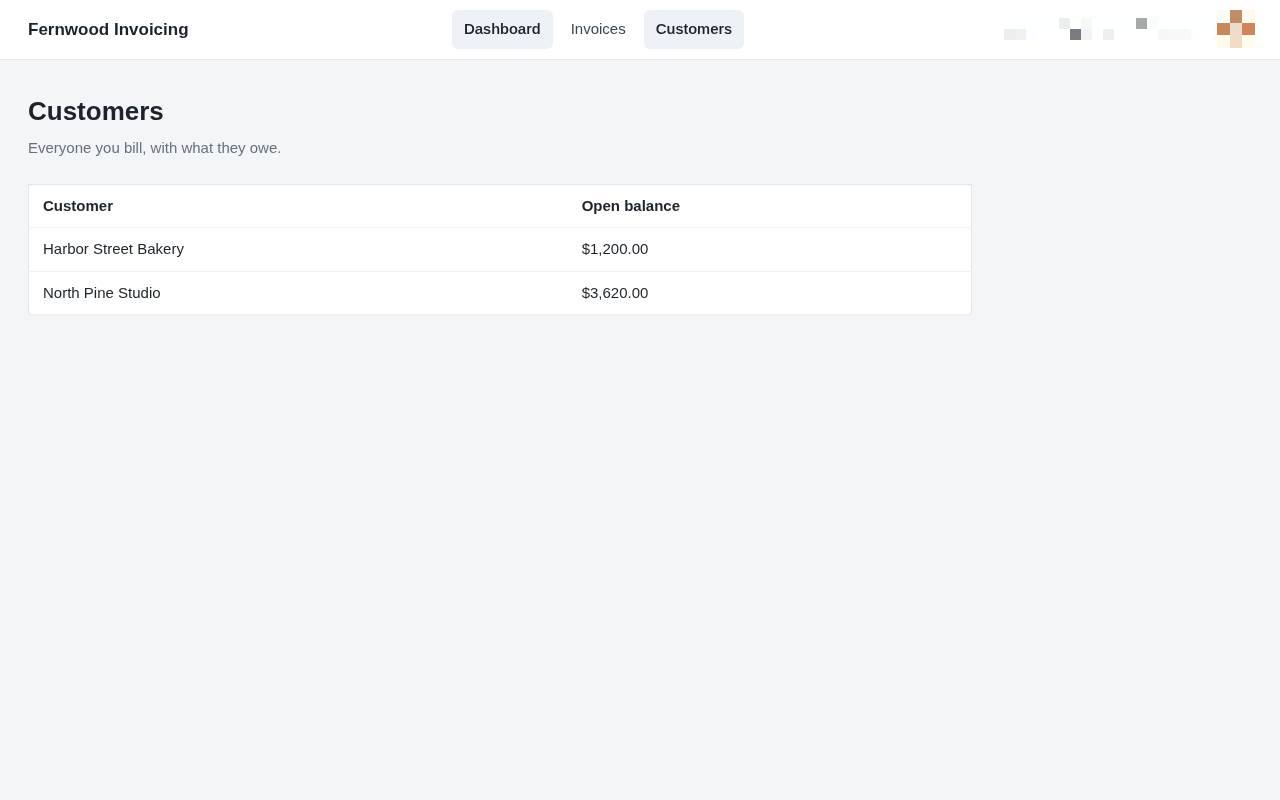
1.View your customers
Select Customers from the navigation menu to see your list of clients and their current balances.
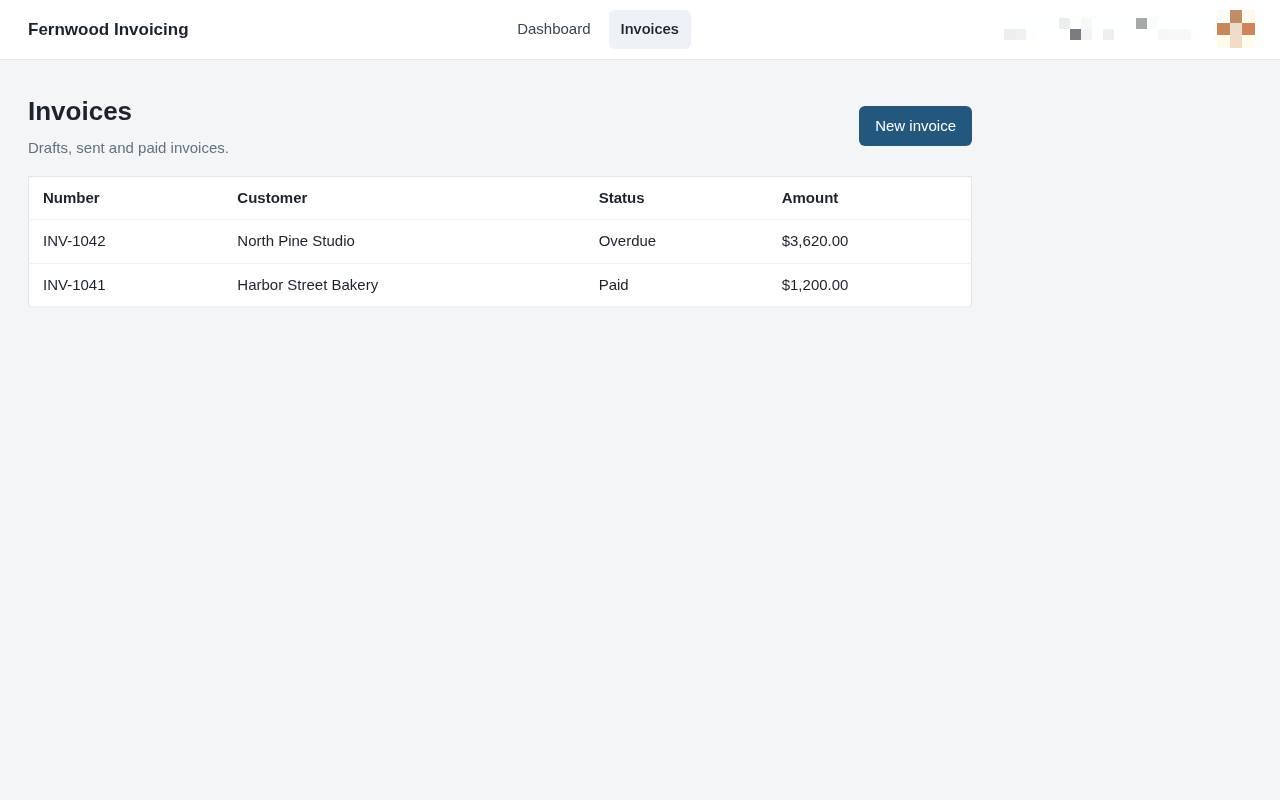
2.Open your invoice list
Select Invoices from the top menu to view your existing drafts and sent bills.
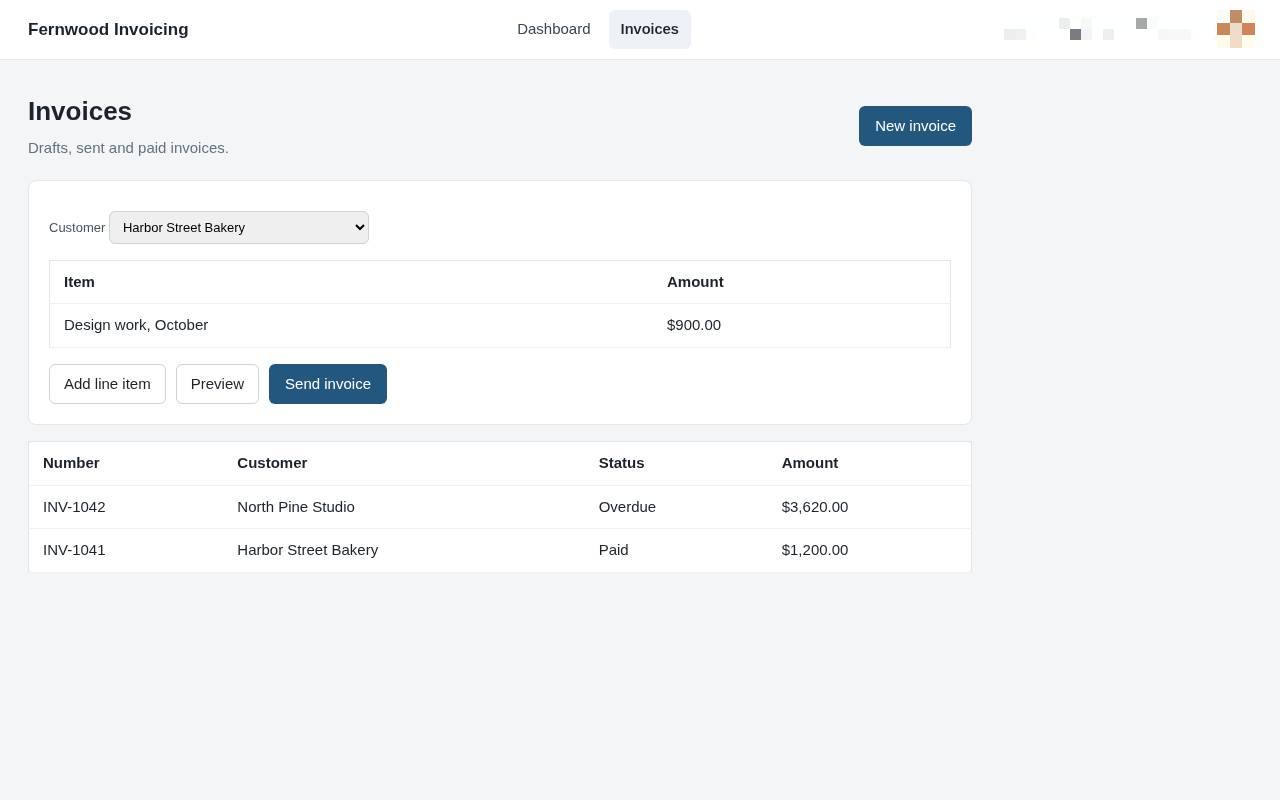
3.Create a new invoice
Select New invoice to open a blank invoice form.
4.Add a line item
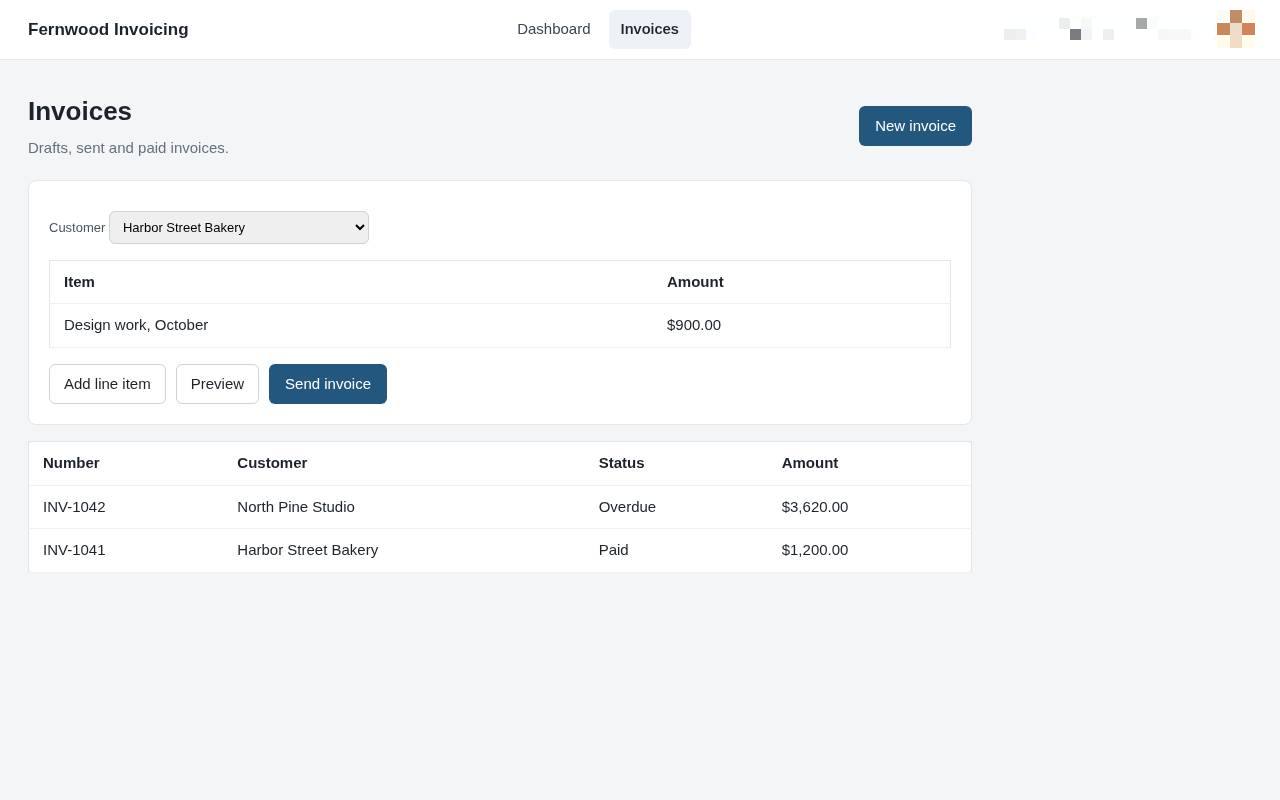
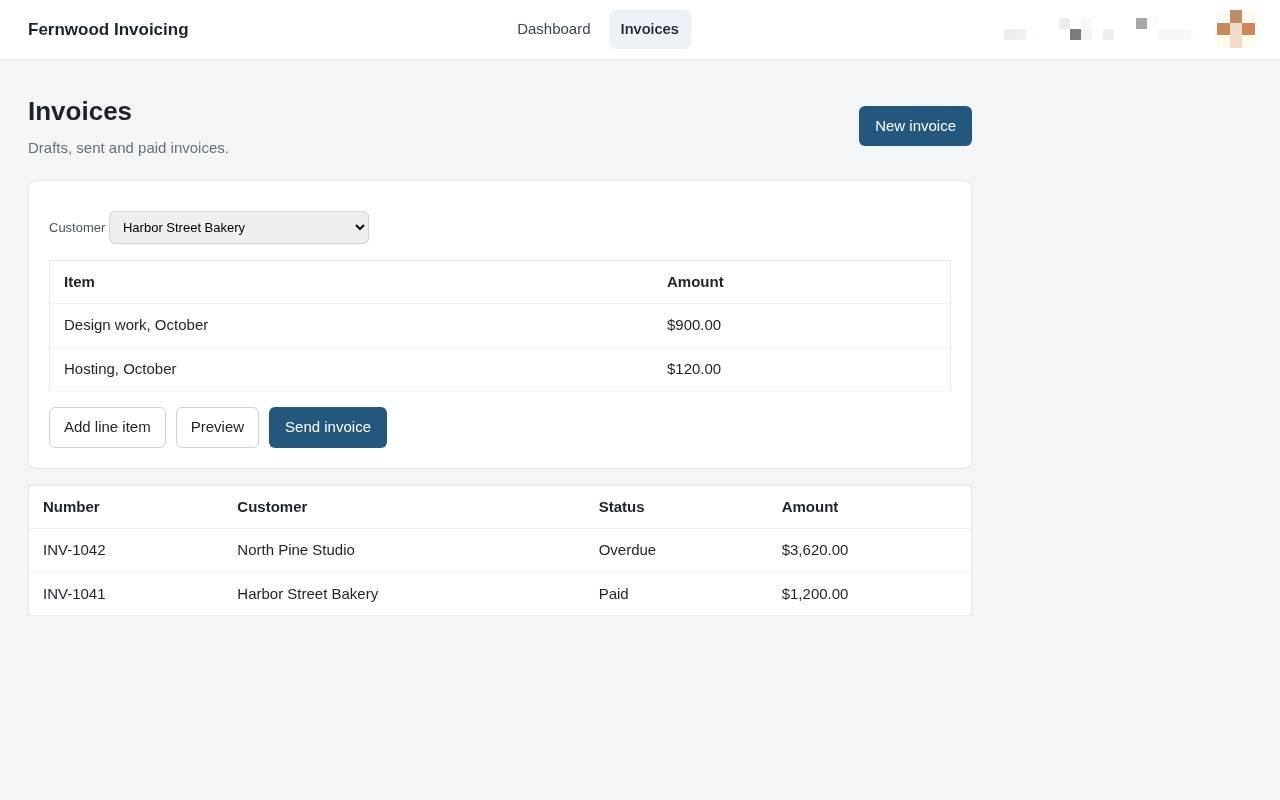
Select Add line item to include additional goods or services in your invoice. A new row appears where you can enter the description and price.
5.Preview your invoice
Select Preview to review how your invoice will appear to your customer.
6.Send the invoice
Choose Send invoice. A message confirms the invoice was sent to your customer.